¶ Managing Incidents
The incident management module is a fully functional data exploration, collaboration and notification module. Users can escalate an incident to a “Task” and then using the Tasks engine carry out follow up activities to resolve and close the issue.
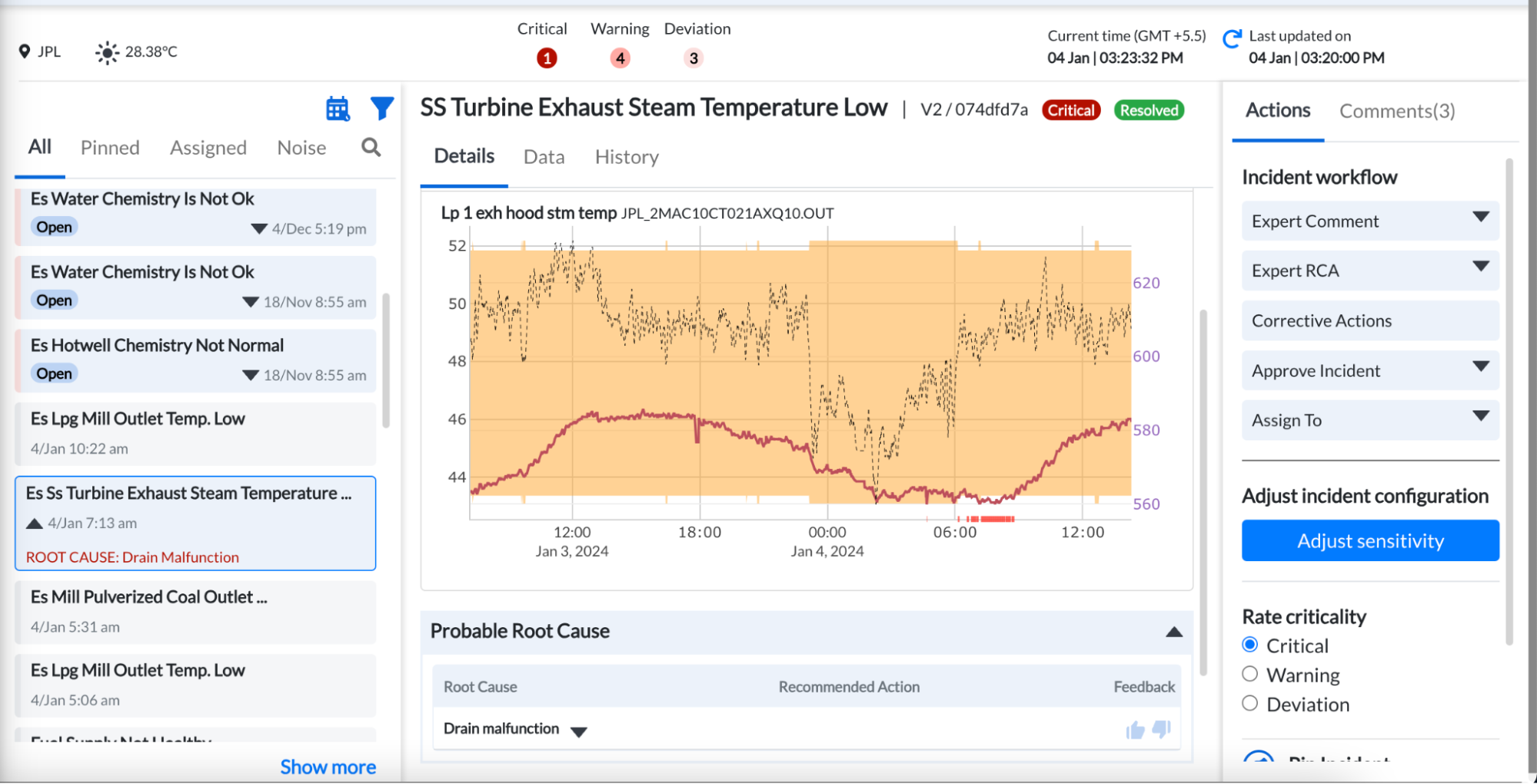
Figure 6. Incidents page
The major sections in the Incident Management system are:
- Incident List: This is the mailbox-like functionality on the left pane of the Incident Management system which displays developing issues and allows bookmarking/pinning/filtering of important Incidents.
- Incident Detail: This section (in the middle pane) allows users to seek all the relevant information required to understand the issue and plan an action. What typically takes users hours to complete (create trends, correlate information, diagnose a root cause, understand historic data, etc) is aggregated in a single place for easy consumption. Some of the information available to users are:
- The list of signals that are triggering the incident
- Expected value/band and the deviation of the individual signal as per the predictive model
- Contributors to a model deviation
- Root causes identified by the system through the Asset Fault Signature database
- Trends of all the signals (along with expected bands) which are relevant to the Incident
- History of similar issues that occurred in the past
- User Actions: This is the section that enables users to drive action based on the insight that is generated. It allows users to:
- Ask questions or provide feedback or add inspection comments addressed to fellow users. Ideal for remote experts to help plant users troubleshoot issues quickly.
- Flag an Incident as critical/important (valid catch)
- Initiate workflows to request action from fellow users on valid catches
- Modify model characteristics (only for specific users) to adjust the sensitivity, wait time for alarming, etc. This ensures that the user can control the alarm characteristics as per the plant needs.